From thirteen systems to one service task
United Airlines
One complaint meant piecing together customer and trip information from thirteen systems.
My decision
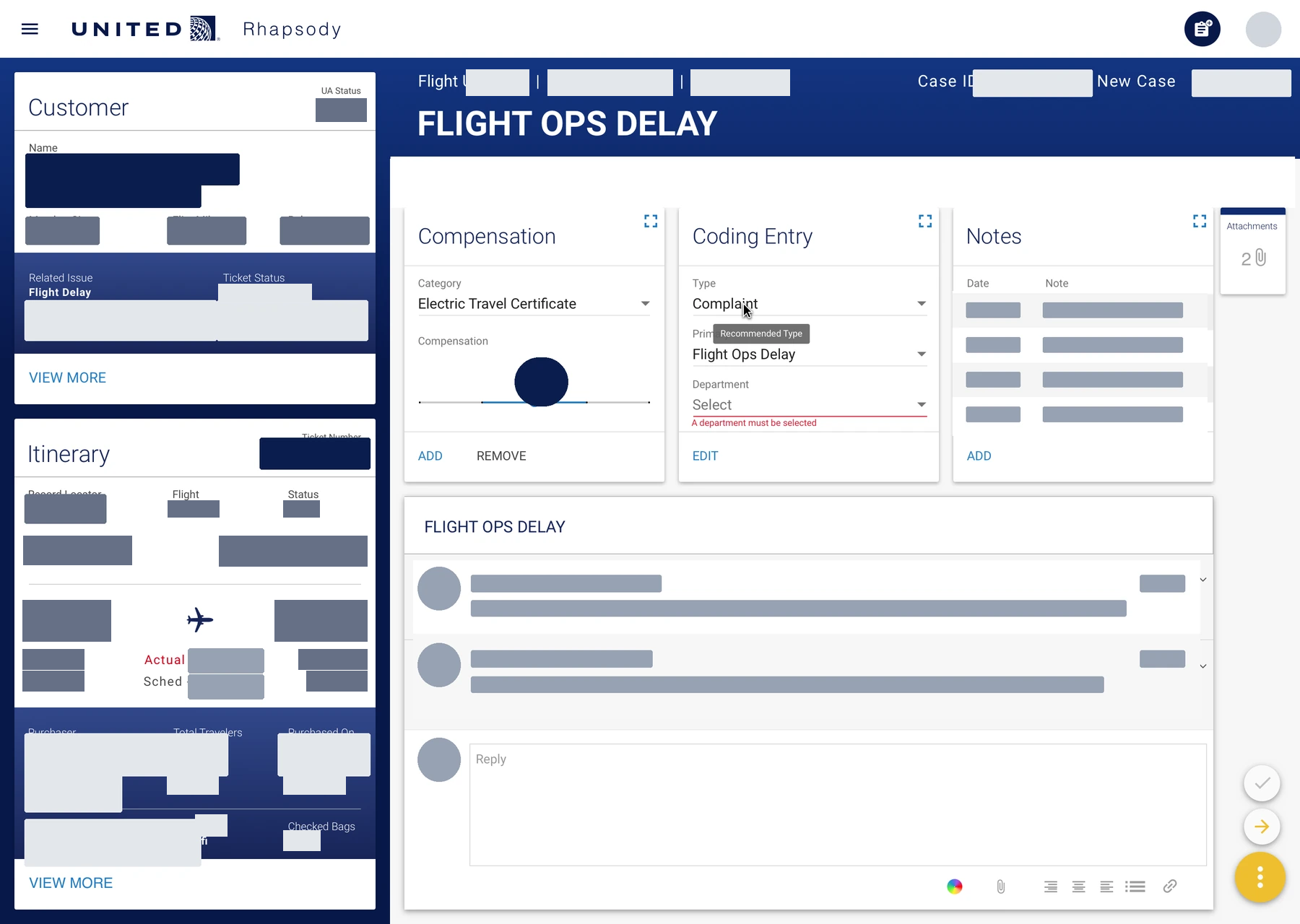
Keep the customer and trip in view while the representative works on the complaint.
- The design change
- A single workspace brings the case, compensation, notes, attachments, and correspondence together.
- What happened
- In the team's consolidated-workflow pilot, complaint resolutions rose from two to seven per hour.
- Role
- UX Designer
Facts
- Client
- United Airlines
- Employer
- IBM iX
- Dates
- February to December 2018
- Research
- Interviews and ethnographic observation in Chicago and Houston
- Scope
- Thirteen legacy systems used in customer care work
- Sequence
- Customer care dashboard, followed by a rebooking assignment
Watch the complaint come together
Reconstruct the case before redesigning it
One complaint meant searching thirteen legacy systems. I interviewed and observed customer-care representatives in Chicago and Houston, then helped document their workflow. Customer history, trip details, compensation, notes, and correspondence were scattered. Agents had to assemble the case before they could resolve it.
I worked with United and IBM partners on the information architecture and documented component behavior in Flinto. The dashboard needed to keep the customer, trip, complaint, and next action together.
Contribution
My work covered field research, the current-state assessment, information architecture, interaction design, and component behavior.
Inspect the workflow map and working state

Make the complaint the organizing unit
I organized the workspace around the complaint an agent needed to resolve rather than the legacy systems that stored each piece of information.
Make the actions mean what they say
The April 2, 2018 testing notes show why consolidating information was only part of the job. A participant could see the complaint and the relevant customer details, but still had trouble understanding the scope of an action.
When responding to a complaint, the participant was unsure whether Edit response also changed the compensation amount. When asked to add a note, they looked to editing and could not identify the nested note action. In the history views, they confused the current case with related cases and expected related cases to share an itinerary.
The testing raised a specific question: could an agent tell what an action changed and which case it applied to? Visible context helped, but labels and control placement also had to make that clear.
Scope
These notes document the ambiguity, not proof that every issue was fixed. The later pilot evaluated the consolidated workflow as a whole.
Organize the screen around the task
Let the supporting task open beside the case
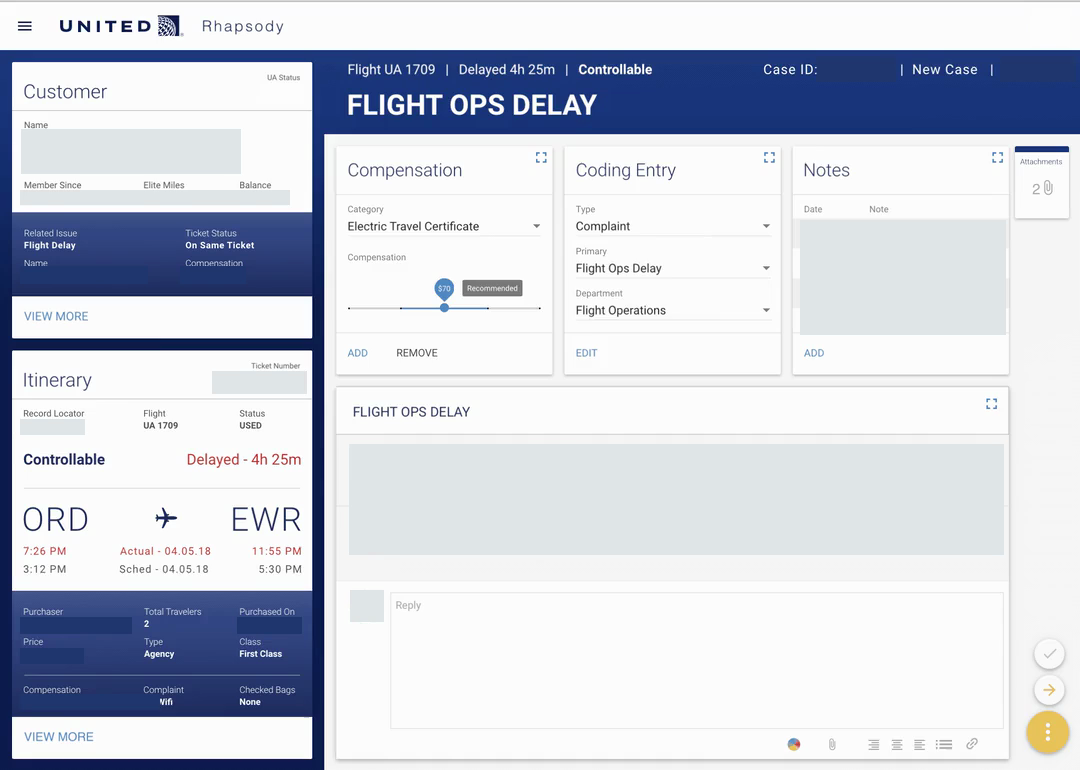
Putting every field on one page would have preserved the same problem in a denser form. I kept the customer and itinerary visible so the representative could open a supporting task without losing the person or trip. Compensation, coding, notes, attachments, and correspondence opened as supporting detail instead of competing for the first glance.
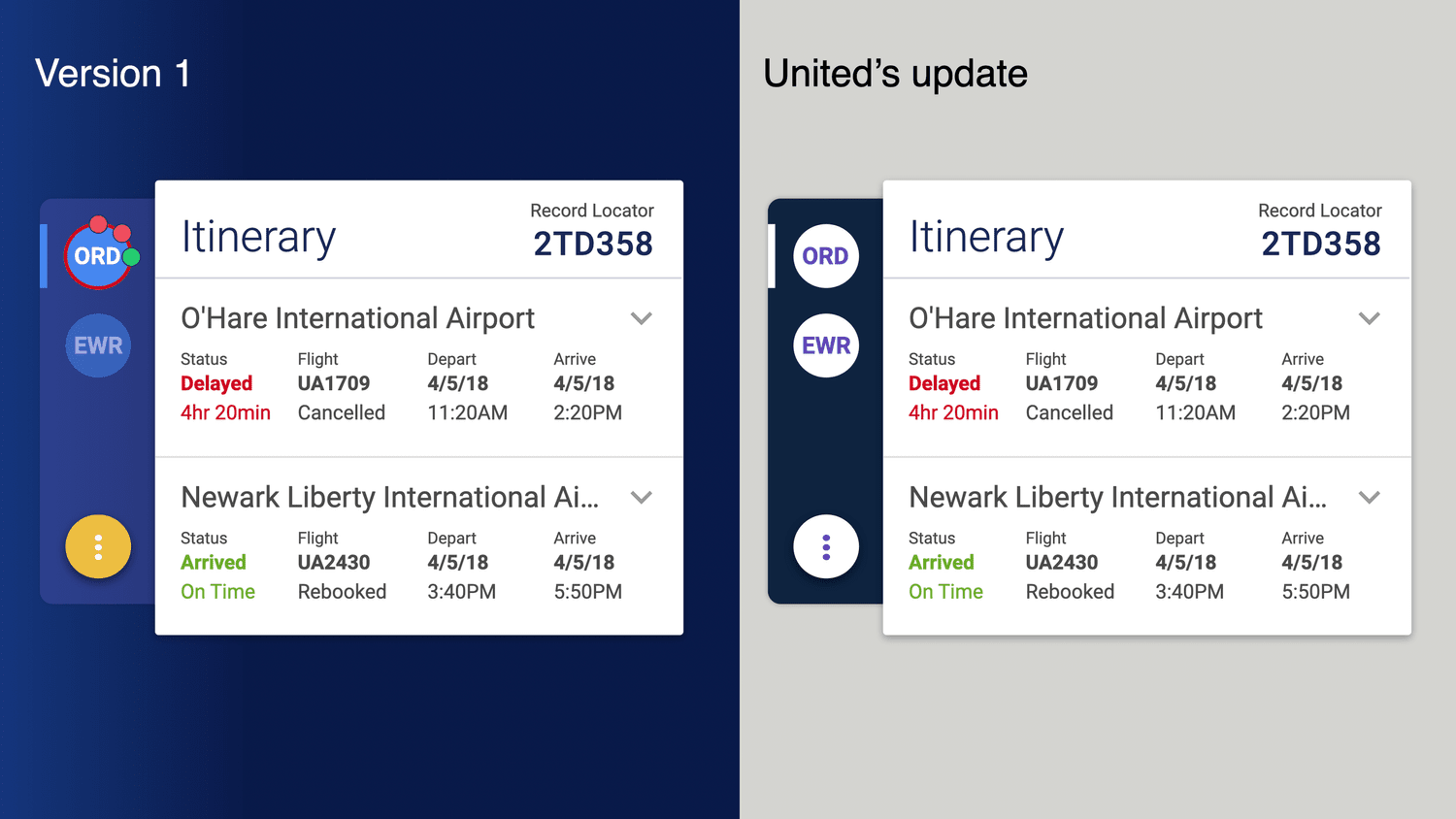
The placement rule was simple. Put information where the agent needs it in the task, not where a legacy system happens to store it. That rule shaped the cards, their expanded states, and the reading order across the workspace.
Watch the supporting panels change
Preserve the itinerary reading order
Place information at its point of use
Customer and itinerary context stayed visible. Supporting controls opened where the complaint required them, giving product, design, and engineering partners one rule for reviewing each screen.
Measure completed work
Count resolved complaints
In the team's consolidated-workflow pilot, complaint resolutions rose from two to seven per hour. That was a pilot result for the workflow as a whole.
Keep the result at the workflow level
I report the pilot result for the consolidated workflow rather than assigning it to an individual card or interaction.
Carry the rule into rebooking
Change the controls, not the organizing rule
After the dashboard pilot, United gave IBM a follow-on rebooking assignment. The workflow asked a different question. Which itinerary should the agent change, and what option could replace it?
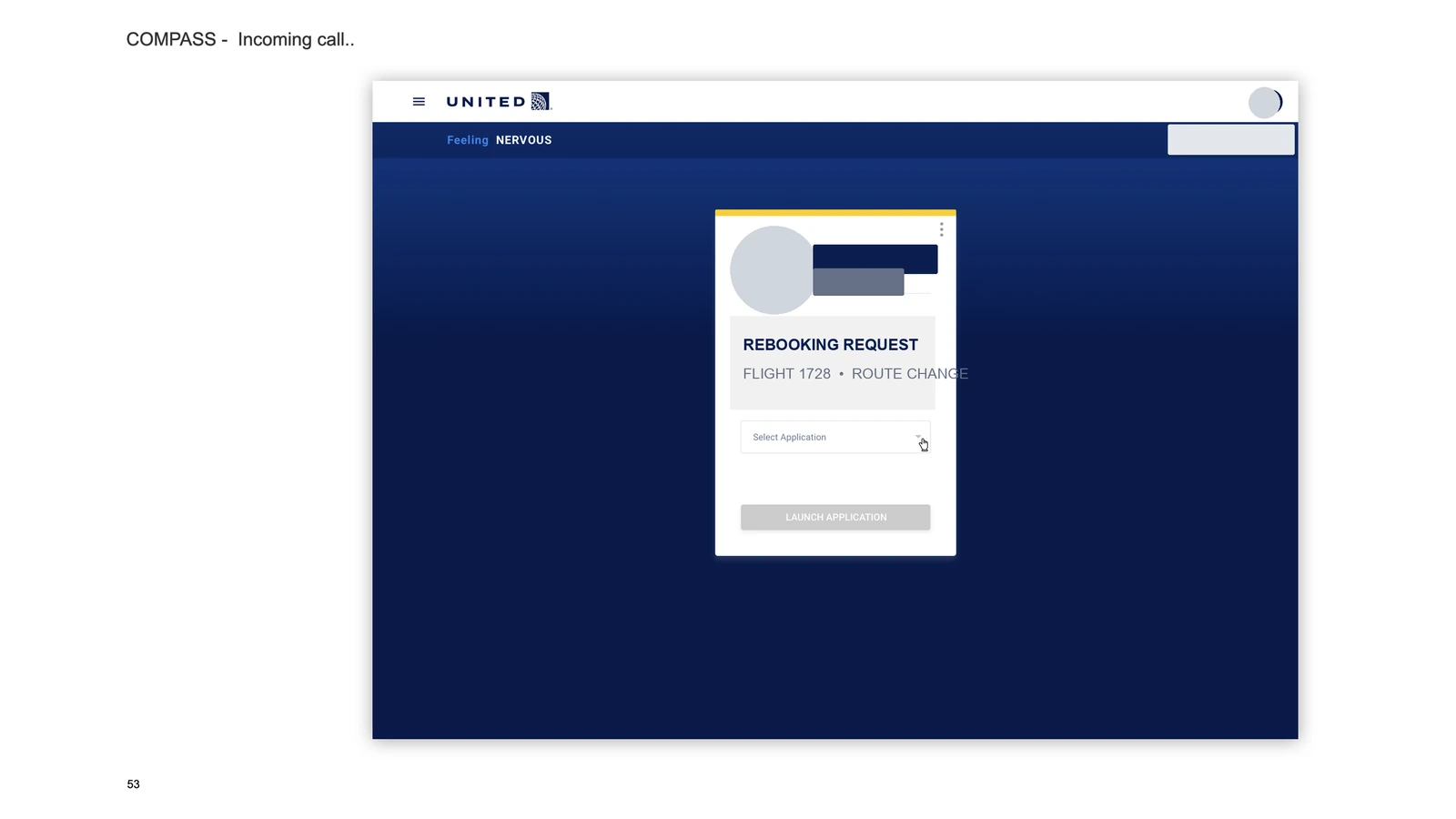
I helped the IBM team keep passenger and trip context together and design controls for comparing flights and adjusting the itinerary. The task-centered rule carried into a related service workflow without forcing the complaint dashboard into a different job.
Follow the rebooking flow
Reuse the information model, not the dashboard
The rebooking work kept context and actions together while using controls suited to flight comparison and itinerary changes.
Results
- During the pilot, average complaint throughput rose from two to seven complaint resolutions per hour.
- United then gave IBM a follow-on assignment to apply a similar approach to rebooking.
Evidence limit
Surviving sources do not establish long-term production performance or feature-level causation.
Related work
A research-led direction for ANA's global website

I reviewed earlier agency research, interviewed ANA stakeholders, and helped facilitate a two-day Tokyo workshop. I turned the findings into UX 2020 design principles, a roadmap, and desktop and mobile concepts.
- UX research
- Design strategy
- Workshop facilitation
- Concept design
A coffee order starts with the right site
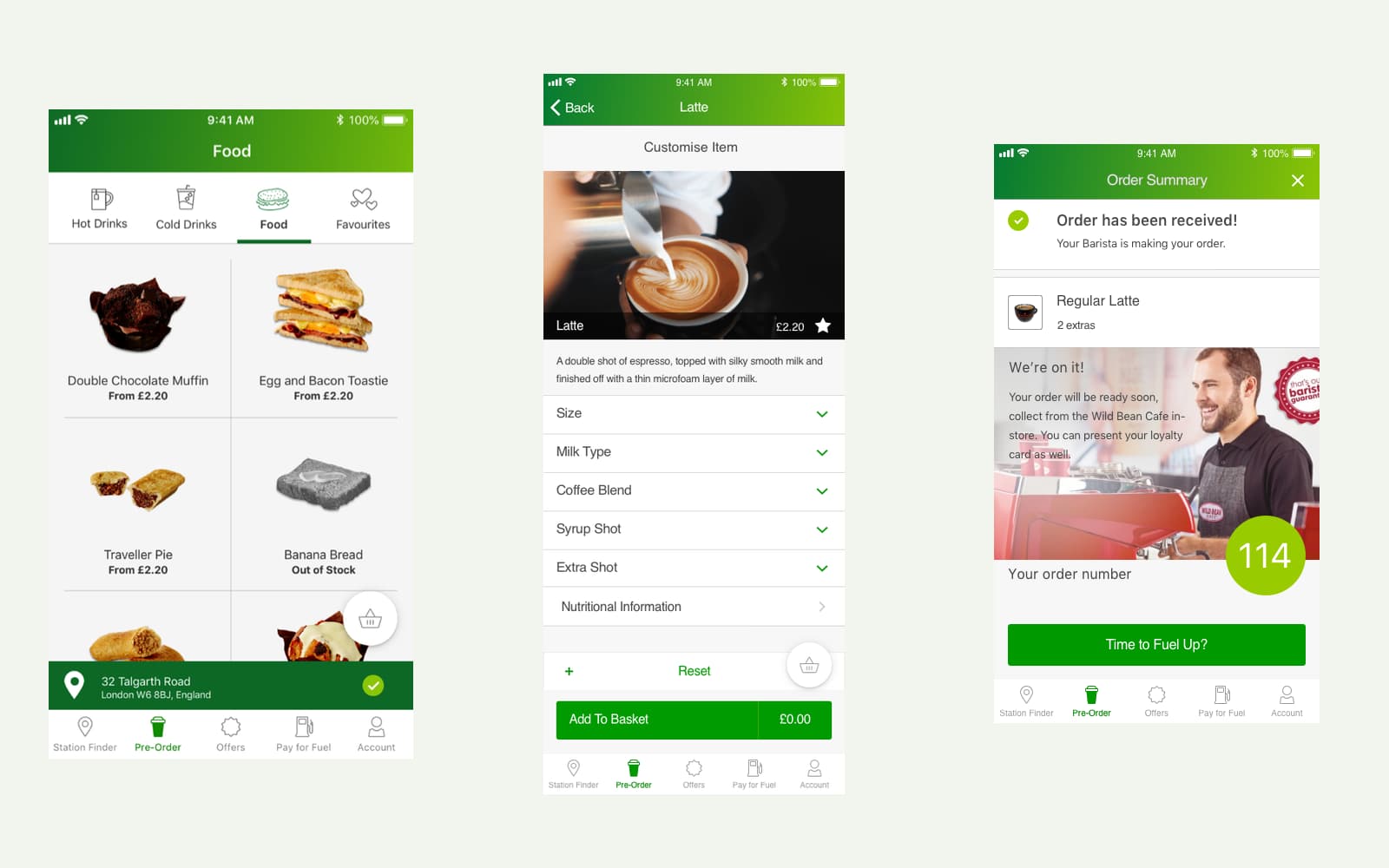
I worked with BP product owners in the UK and Australia on coffee pre-ordering. Research and requirements became a clickable prototype covering site availability, drink choices, checkout, and collection.
- Interaction design
- Mobile commerce
- Prototyping
- Service design
32 projects. One year.
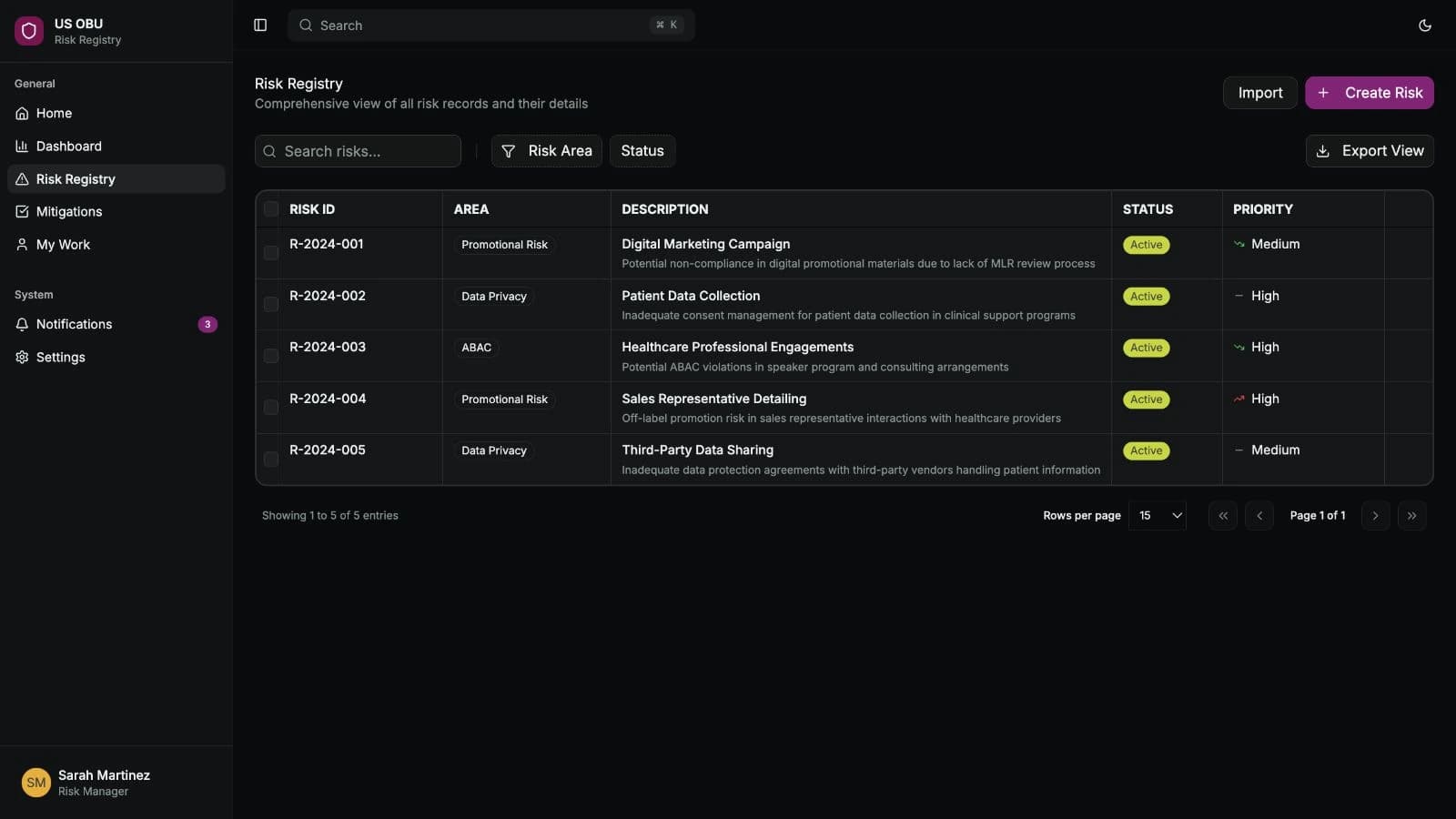
Over a year at AstraZeneca I worked across compliance, field resources, forecasting and medical AI. The risk register, PinkPulse and AI Workbench became working applications. I wrote requirements, designed interfaces, built prototypes and worked with business owners and engineers to carry decisions into software.
- Regulated workflows
- Requirements and delivery
- AI with human review