A coffee order starts with the right site
BP
A customer needs to know whether this site can take a coffee order before choosing a drink.
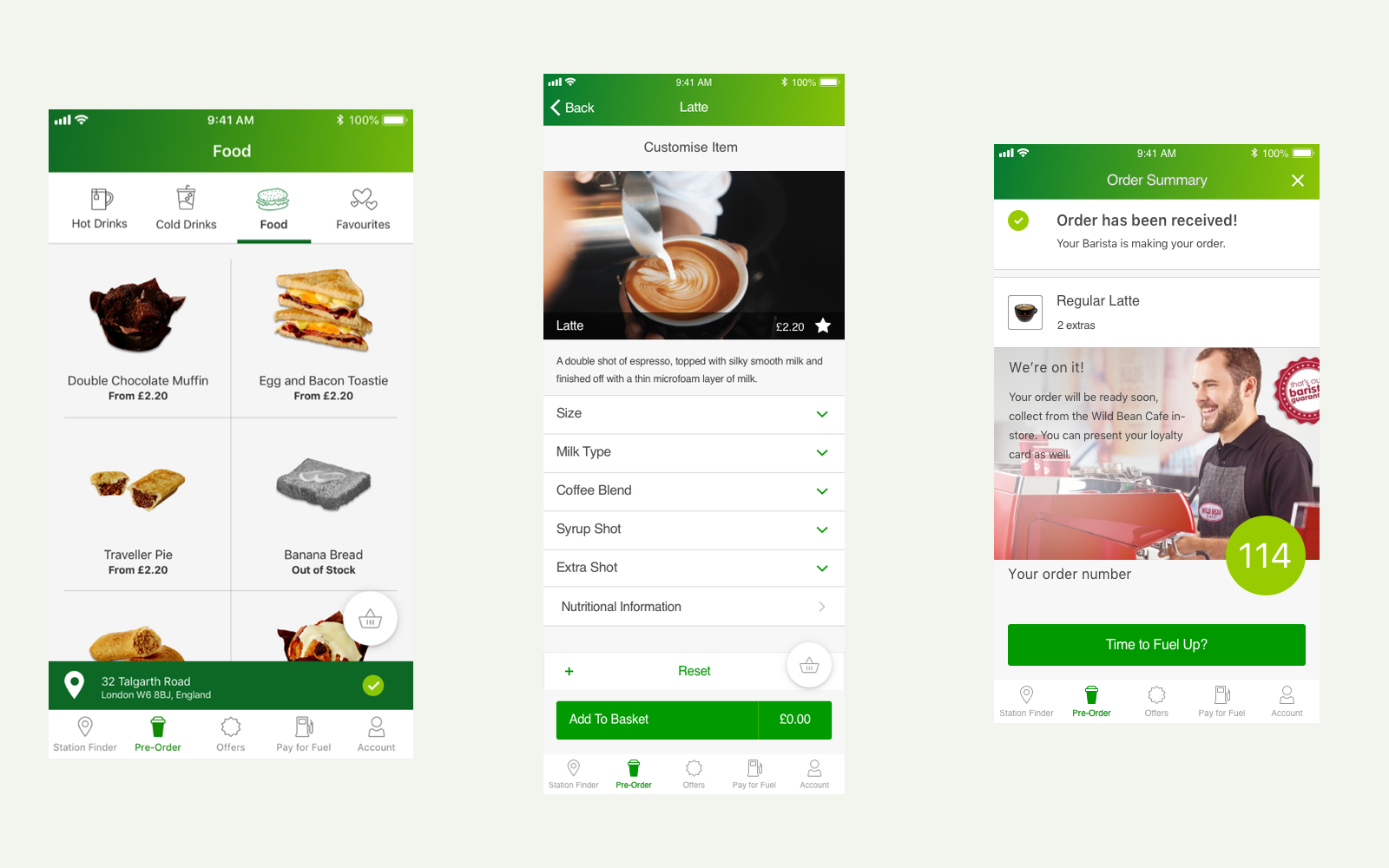
My decision
Check the site first, then keep the drink choices, total, and collection handoff clear.
- The design change
- I turned research and requirements into a clickable prototype, working with BP product owners in the UK and Australia.
- What happened
- The prototype gave us a complete journey to review, from site availability to a collection number. The work shown is proposed design, not evidence of a production release.
- Role
- UX Designer
Facts
- Client
- BP
- Employer
- IBM
- Dates
- 2019 to 2020
- Collaboration
- BP product owners in the UK and Australia
- Contribution
- User research, requirements, wireframes, and prototyping
- Work shown
- Coffee pre-order prototype and original flow diagrams
Establish where the order can happen
Before someone chooses a coffee, they need to know whether this location can take the order. A closed store, an unavailable menu, or a connection problem changes the whole journey. I worked with BP product owners in the UK and Australia to make those conditions part of the requirements and clickable prototype.
My work covered user research, wireframes, and prototyping. The site-selection flow put the conditions for an order ahead of the menu: sign-in, location access, and proximity to a participating site. It also kept open business questions visible, including the entry point and the first-order promotion.
The flow covers sites without pre-ordering, closed or offline stores, and connection problems. Offsite ordering remained outside the proposed MVP.
Make the unavailable paths explicit
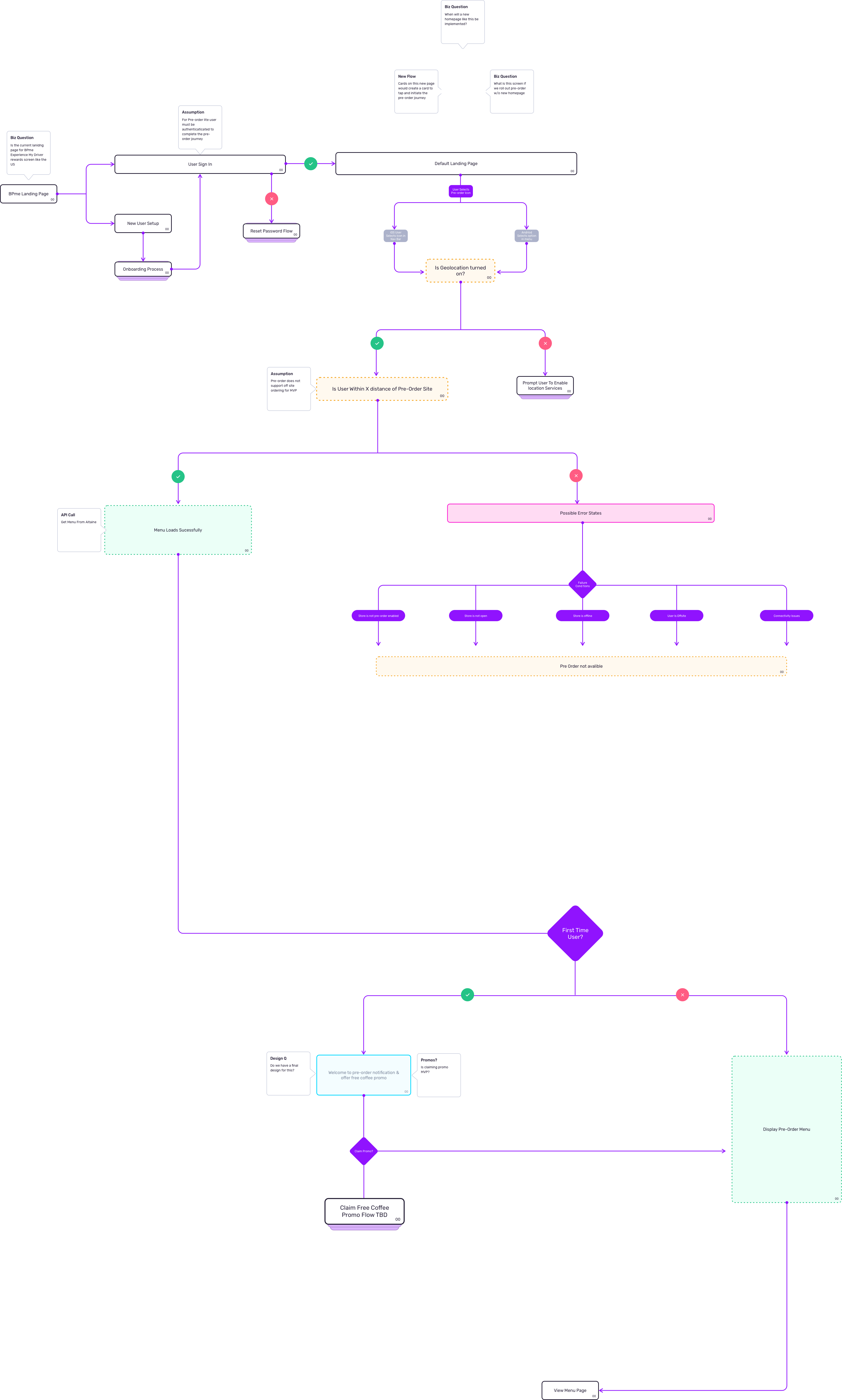
Check the site before building the order
The flow establishes whether the customer can order at this site before asking them to choose products and pay.
Keep the drink and its choices together
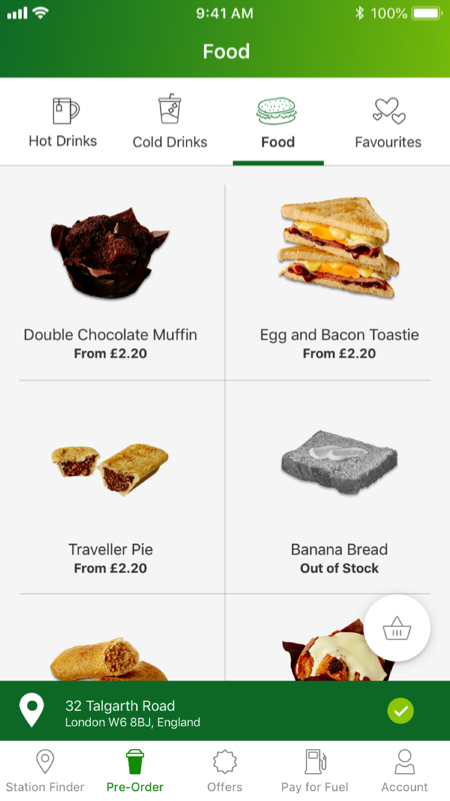
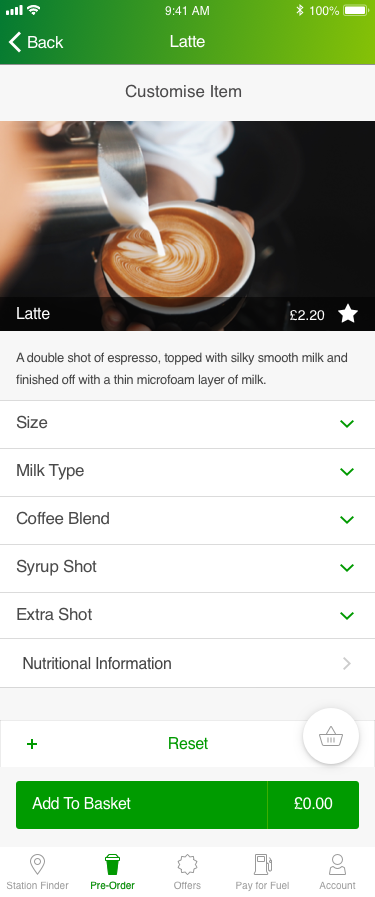
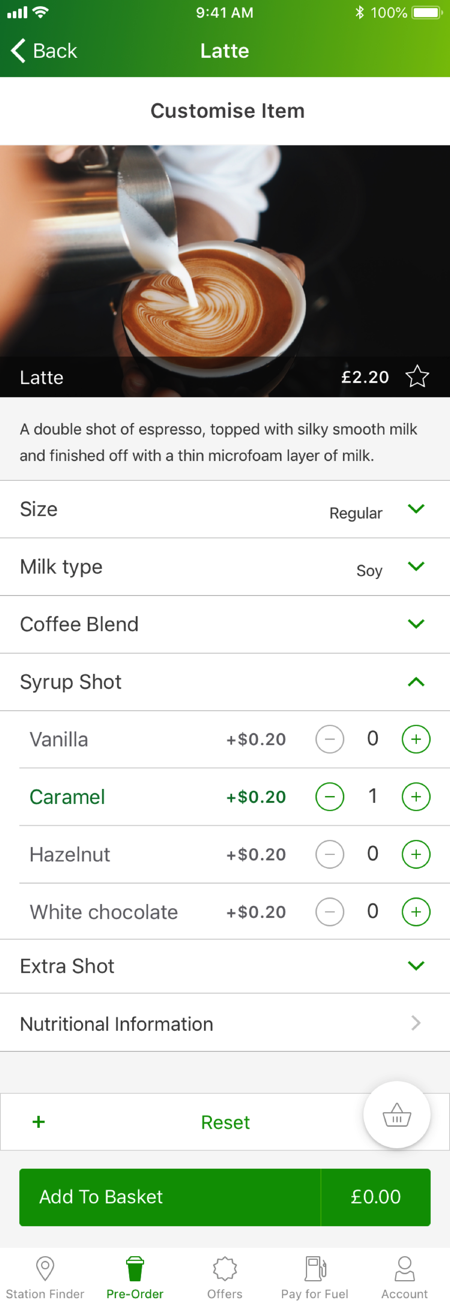
I kept the selected site visible below the menu so the customer could see where the order belonged. On the drink screen, the latte, its price, its options, and Add to Basket stay together. The person can work through size, milk, blend, syrup, and extra shots without leaving the drink.
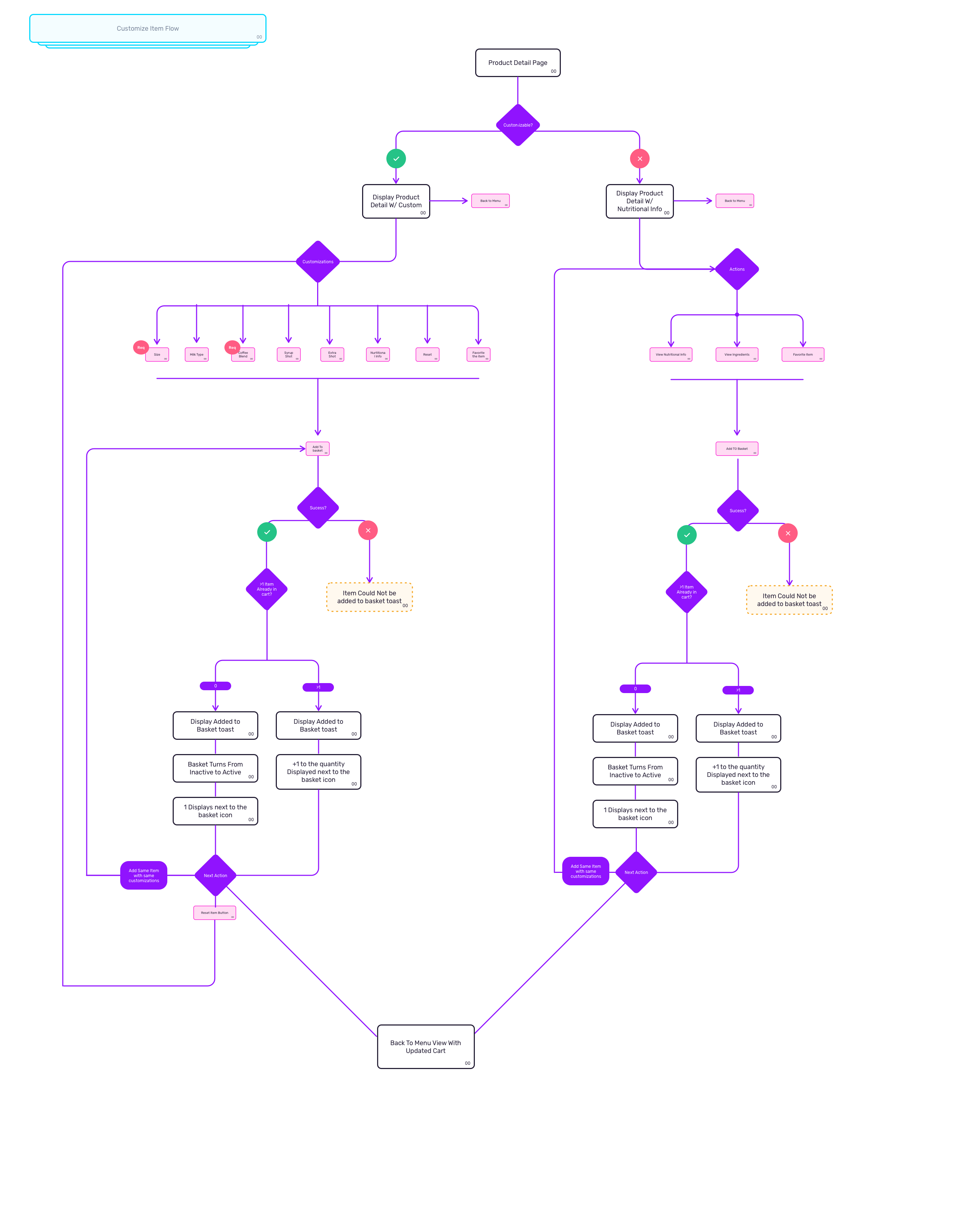
The flow distinguishes required choices from optional extras. Size and coffee blend are marked as required in the diagram. The screen designs explore how those choices expand without taking the customer away from the drink.
Explore the original product screens
Inspect the modifier and basket rules
Let the customer check and change the order
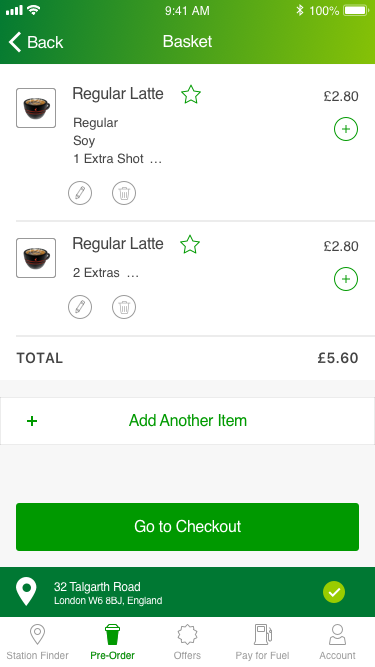
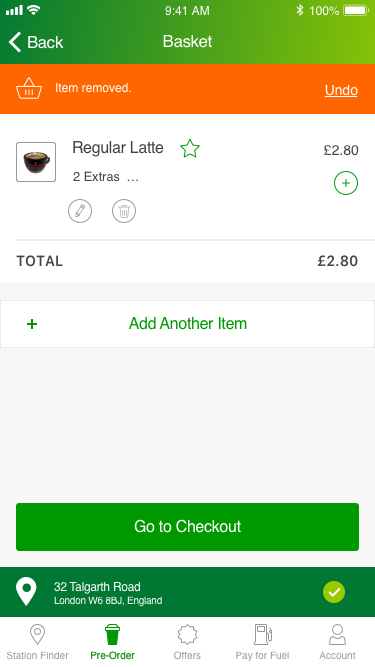
The basket is a chance to catch a mistake before paying. I brought the drink, extras, quantity, and total together, with controls to change the order. In the removal design, an Item removed message and Undo action stay above the revised basket, so the customer can see what changed and recover it.
Review the basket and a removal state
Finish with a clear collection handoff
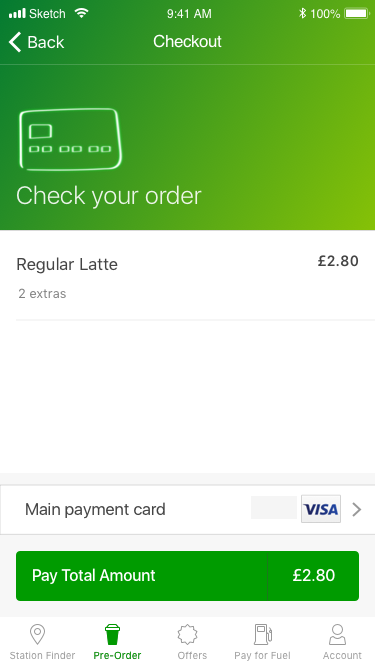
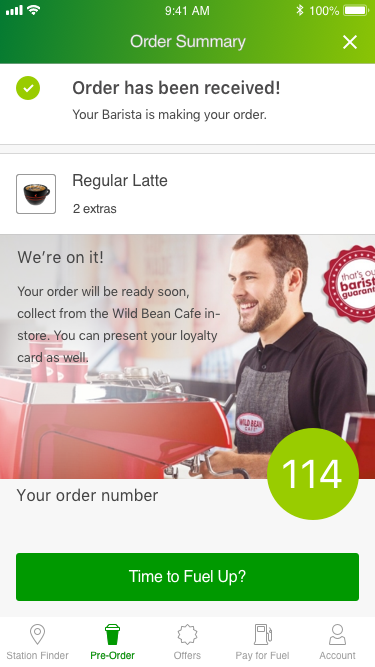
The checkout design shows the drink and total before payment. Its confirmation gives the customer a collection number and a message that the barista received the order.
I used the prototype to review the complete journey with product owners, from checking the site to giving the customer a collection number.
Move from payment to collection
Results
- I translated coffee pre-order requirements into wireframes and a clickable prototype for review with BP product owners.
- The design covers availability, customization, basket changes, checkout, and collection.
Evidence limit
Original screen designs, wireframes, and prototype flows from the 2019 to 2020 engagement.
Related work
From thirteen systems to one service task
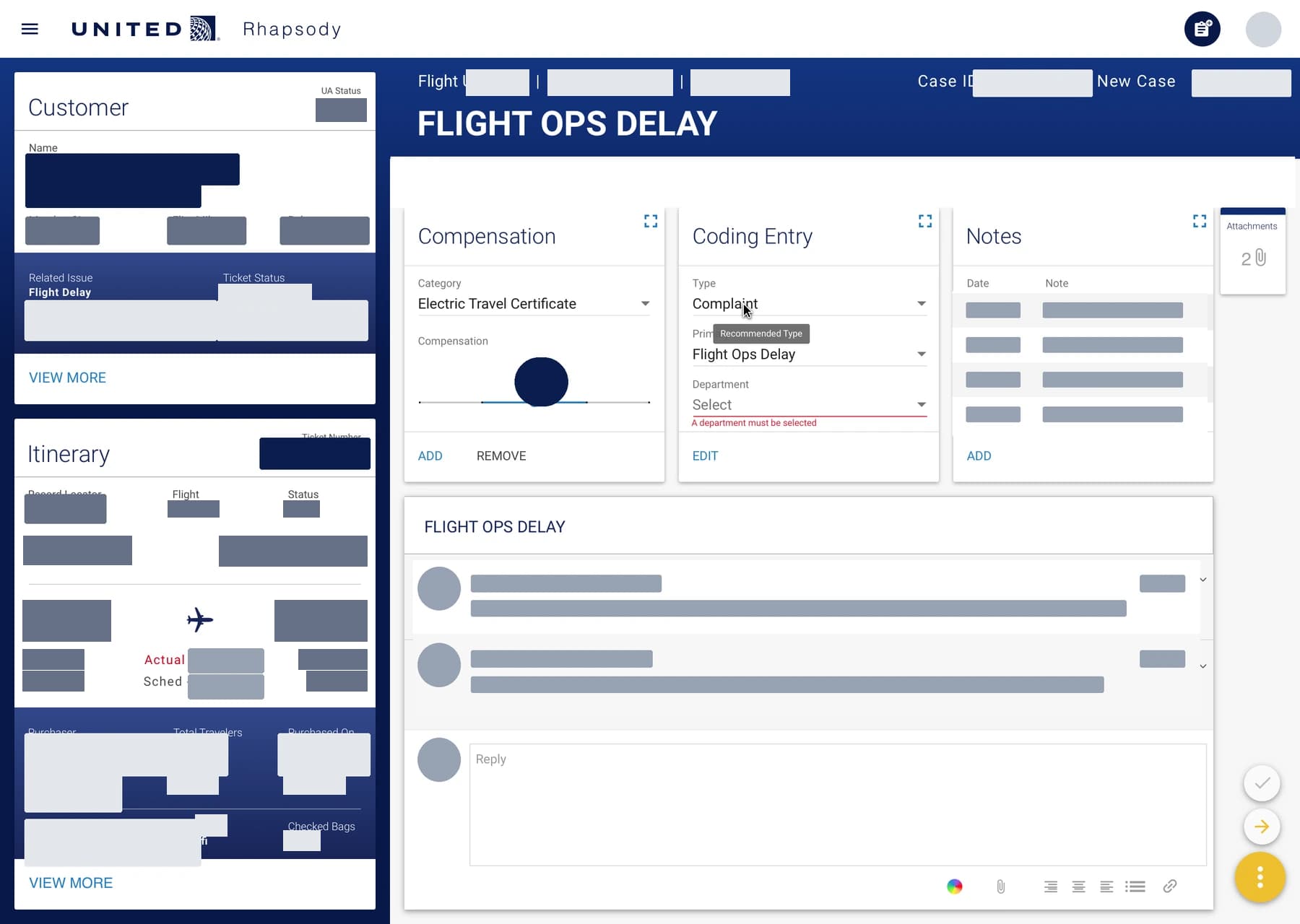
At IBM iX, I helped turn workflows across thirteen customer-care systems into one dashboard. In the team's pilot, complaint resolutions rose from two to seven per hour.
- Information architecture
- Interaction design
- Ethnographic research
- Service design
A research-led direction for ANA's global website
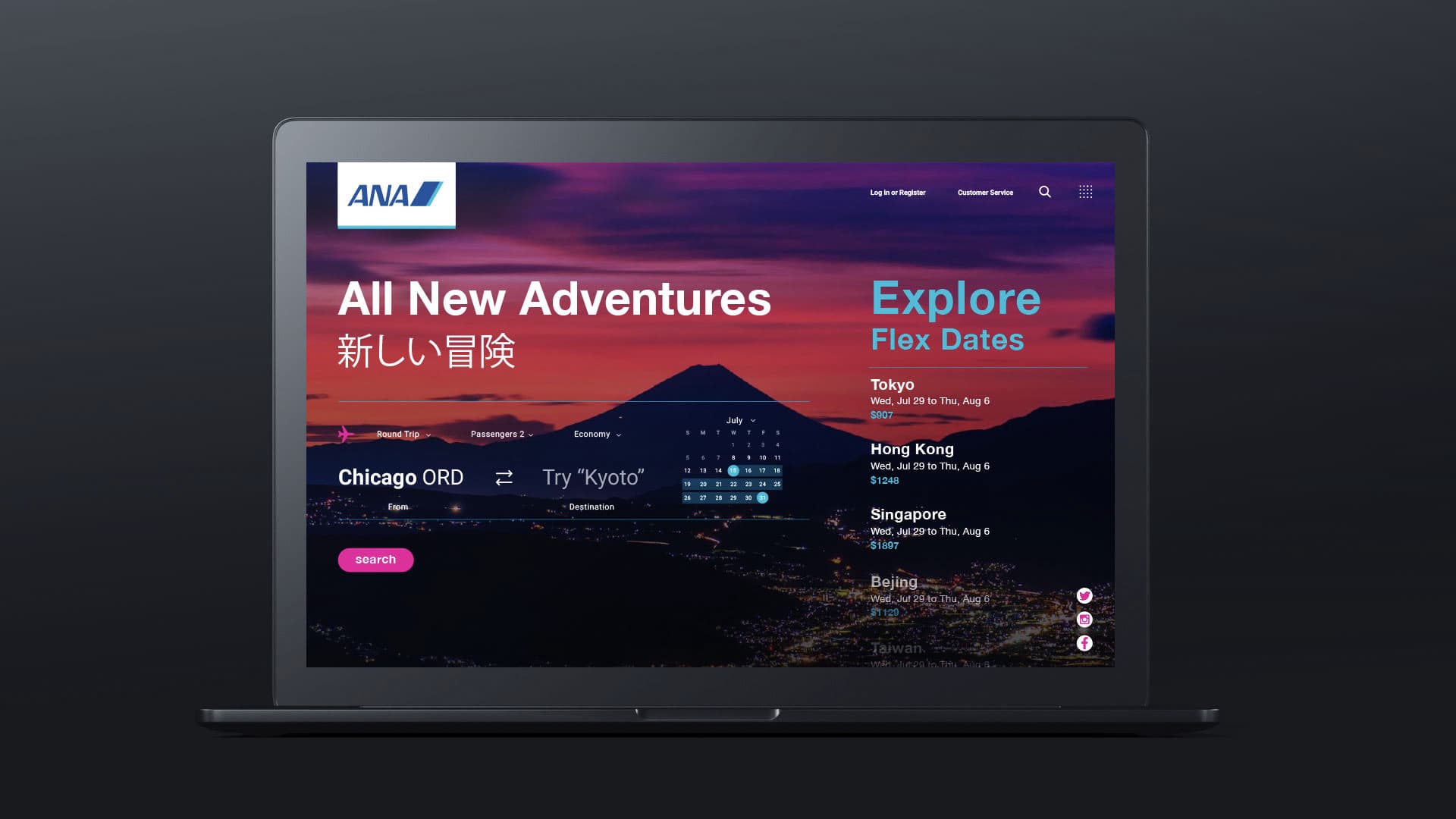
I reviewed earlier agency research, interviewed ANA stakeholders, and helped facilitate a two-day Tokyo workshop. I turned the findings into UX 2020 design principles, a roadmap, and desktop and mobile concepts.
- UX research
- Design strategy
- Workshop facilitation
- Concept design
One working system for eighteen pharmaceutical brands
I led UX across eighteen Janssen brands and managed two designers using a shared Figma system. The team reviewed forms, notifications, and message routing across desktop and mobile. Project records list more than 2,000 approved screens.
- Design systems
- Regulated workflows
- Responsive design
- Design operations